A simple, powerful database manager for macOS, iOS, Android and Windows
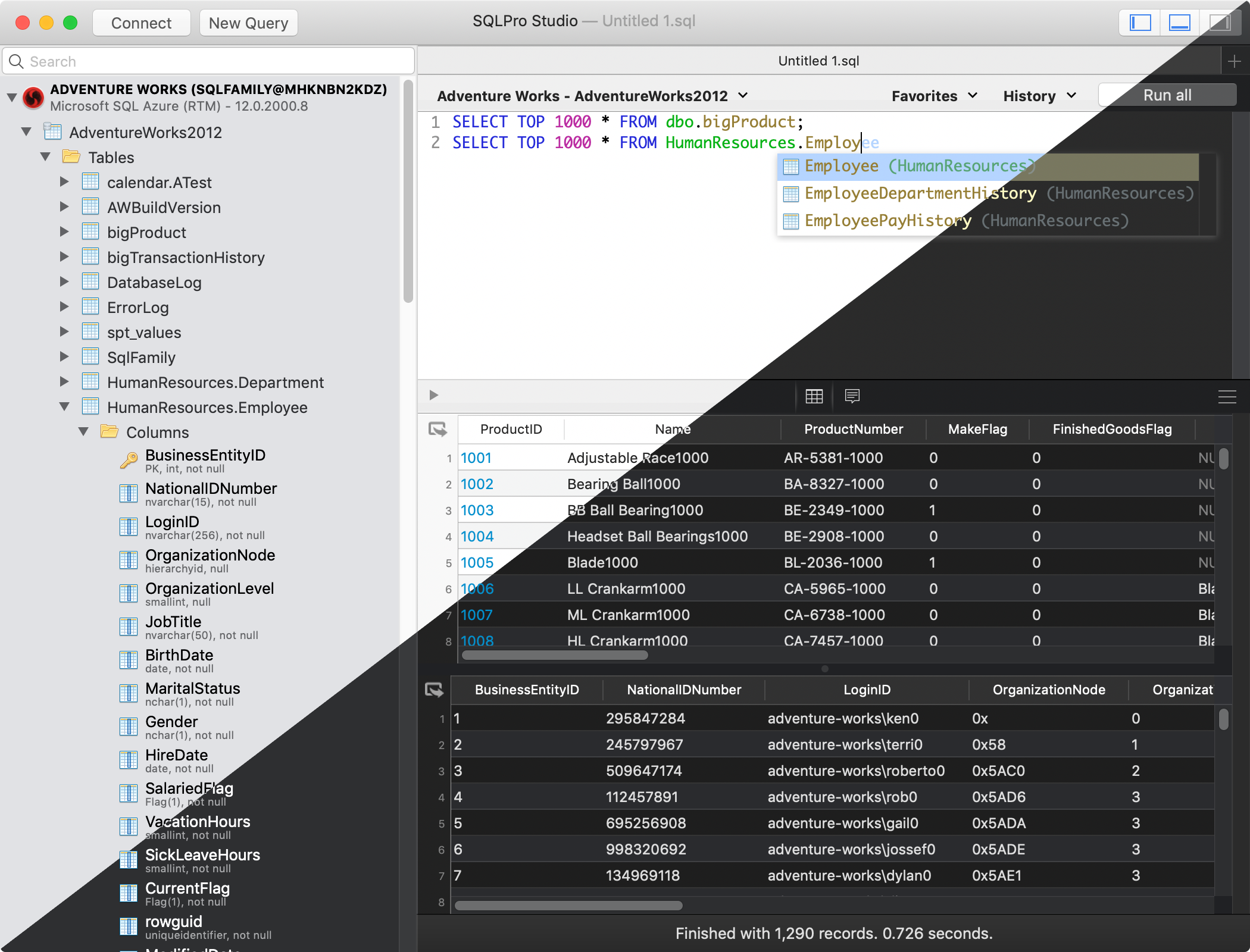
Multiple database support
SQLPro supports many database types including MySQL (and MariaDB), Postgres/PostgreSQL, Redshift, Microsoft SQL Server (2005 and above), Oracle (8i and above), SQLite and SnowflakeDB.
Best at the basics
Table creation, custom queries, auto-complete and syntax highlighting are just some of the features you can expect. Updating or designing a table? We can help you out.
Intuitive interface
SQLPro boasts an intuitive interface, where the most basic to advanced database needs are easily accessible.
Cloud support
Working with cloud providers such as Amazon relational database service, Microsoft Azure or Heroku? No problem, SQLPro Studio supports most cloud based instances.
Multiple result sets
Need to see the results for multiple tables at once? You can execute multiple queries and have the results for each displayed at the same time, including any errors and messages.
No Java
SQLPro is a 100% native Mac app. This means it can and will outperform any of the other Java based database management interfaces.
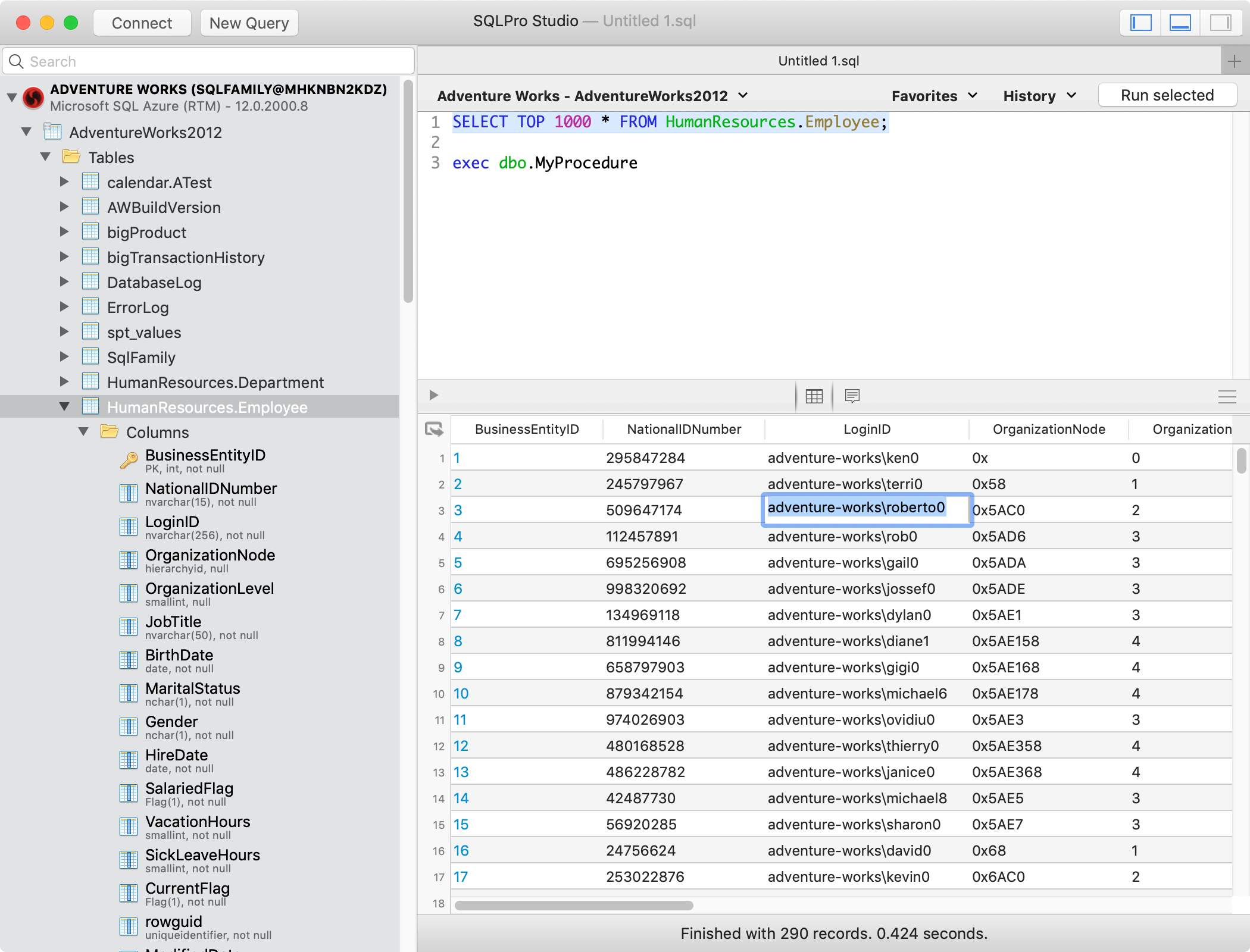


What is SQLPro Studio?
SQLPro Studio is a native database management application for macOS, iOS, iPadOS, Android, and Windows. It connects to MySQL, MariaDB, PostgreSQL, Microsoft SQL Server, SQLite, Oracle, Snowflake, and Amazon Redshift. Built with Swift and Objective-C, it launches instantly and uses minimal system resources — no Java or Electron runtime required.
SQLPro Studio supports SSH tunneling, syntax highlighting, autocomplete, multiple concurrent result sets, and data import/export in CSV, JSON, SQL, and XML formats. Whether you are working with a local SQLite file, a remote PostgreSQL server on AWS RDS, or an Azure SQL database, SQLPro Studio connects directly without plugins or middleware.
Built for developers, DBAs, and data analysts
SQLPro Studio is designed for anyone who works with relational databases on a regular basis. Developers use it to write and test queries during application development. Database administrators rely on it for table management, user permissions, and routine maintenance. Data analysts use it to explore datasets, run ad-hoc queries, and export results for reporting.
Unlike cross-platform tools built on Java or Electron, SQLPro Studio is a fully native app on every platform it supports. On macOS it is built with AppKit and SwiftUI, on iOS it runs natively on iPhone and iPad, on Android it is a native Kotlin app for phones and tablets, and on Windows it is a native UWP application. This means faster launch times, lower memory usage, and an interface that feels at home on each operating system.
Actively developed since 2015
SQLPro Studio has been independently developed and maintained by Hankinsoft Development, Inc since 2015. It is available on the Mac App Store, the iOS App Store, Google Play, and the Microsoft Store, as well as a direct download from this website. Flexible pricing includes monthly and yearly subscriptions that work across all platforms, a one-time lifetime license, and a free year for students.
What users are saying
★★★★★
"I work in SQL Server Management Studio almost all day. But for writing queries that I plan to use in Python/Jupyter, I much prefer using this tool. I think it does a lot of things far better than Microsoft and is easily worth the money."
Surrealcoder — Sep 2021, Mac App Store
★★★★★
"After trying most of the SQL utilities out there for Mac, I have settled on this one. It's low clutter, fast in and out, no fuss."
EBSanford — Jun 2024, Mac App Store
★★★★★
"Having everything centralized, with ability to quickly move between environments has been a huge productivity boost. This product is just excellent."
AdamAmSH — Nov 2019, Mac App Store
★★★★★
"I switched last year from developing on Windows to Mac, and needed something to replace MS SQL Server Management Studio. I tried quite a few of the available solutions for MacOS, and this was easily the best."
mrcchain — Apr 2021, Mac App Store
★★★★★
"Rock solid performance even with insanely long queries. I connect to dedicated servers, cloud servers and databases on the edge and have not had any issues."
argios82 — Aug 2023, Mac App Store
★★★★★
"Love this app! Constant updates, responsive support. The interface is very intuitive. If you're looking for a database management tool, look no further."
jyoseph — Oct 2021, Mac App Store
See how SQLPro Studio compares
vs TablePlus · vs DBeaver · vs DataGrip · vs Beekeeper Studio · vs Navicat